
The Legacy Antipattern That Refuses to Die
Fifteen years ago, search engine crawlers were rudimentary text scrapers. They requested the raw HTML document, extracted text, and ignored visual styling. In that era, webmasters routinely blocked /css/, /js/, and /assets/ in robots.txt to save server bandwidth and crawl overhead.
Today, continuing to block CSS and JavaScript is one of the most destructive mistakes you can make in technical SEO. Google’s official Search Essentials (formerly Webmaster Guidelines) explicitly state:
"If your robots.txt file disallows crawling of CSS, JavaScript, or other asset files, Googlebot cannot render your pages as a typical user sees them, which can harm your rankings."
How Modern Search Engines Render Web Pages
Googlebot does not evaluate raw HTML in isolation. It operates a modern, evergreen headless Chromium rendering engine (the Web Rendering Service or WRS):
- Initial Crawl: Googlebot downloads the HTML document.
- Rendering Queue: The document is queued for rendering.
- Asset Fetching: The headless browser requests all external CSS stylesheets, JavaScript files, font files, and image assets.
- DOM & CSSOM Execution: JavaScript executes, dynamic content is injected into the DOM, and CSS styles are calculated.
- Visual Layout Evaluation: Google evaluates layout stability, mobile responsiveness, font legibility, above-the-fold content, and intrusive interstitials.
What Happens When Assets Are Blocked?
If your robots.txt disallows access to your stylesheet or script folders:
- Broken Mobile-Friendly Evaluation: Without CSS, Googlebot sees an unstyled layout and may flag the page as not mobile-friendly (text too small, clickable elements too close).
- Invisible Dynamic Content: If client-side JavaScript (e.g., React, Vue, or interactive accordions) is blocked, Googlebot cannot execute the script to reveal your primary body text.
- Interstitials & Shielding Failures: Google may misinterpret responsive navigation menus as intrusive overlays or hidden content traps.
How to Audit and Unblock Frontend Assets
Check your robots.txt for legacy blocks targeting asset directories:
# HARMFUL DIRECTIVES TO REMOVE IMMEDIATELY
User-agent: *
Disallow: /wp-content/plugins/
Disallow: /wp-includes/
Disallow: /assets/
Disallow: /static/
Disallow: /*.js$
Disallow: /*.css$
The Modern Compliant Approach
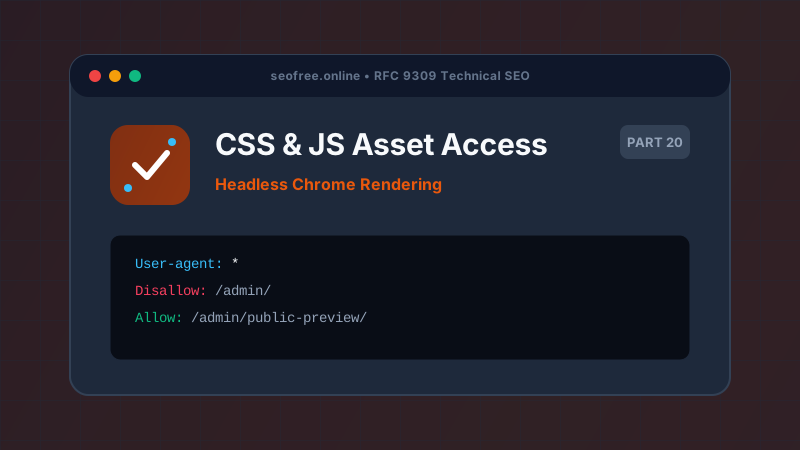
If you must protect sensitive server scripts or administrative APIs, restrict access specifically to those back-end files while explicitly allowing public CSS and JS:
User-agent: *
Disallow: /admin/
Allow: /admin/public-assets/*.css
Allow: /admin/public-assets/*.js
Audit your asset URLs with our Bulk Robots.txt Tester. Paste the URLs of your core bundle.css and app.js files to ensure Googlebot and Bingbot have unrestricted crawl permissions.
Frequently Asked Questions
Does Googlebot cache CSS and JavaScript files?
Yes. Googlebot caches static assets aggressively to avoid repeatedly requesting identical stylesheets across millions of pages.
What if my CSS/JS is hosted on a third-party CDN?
If your assets are served from a CDN domain (e.g., https://cdn.example.com), ensure that the CDN domain’s own robots.txt does not block Googlebot.
How can I see how Googlebot renders my page?
Use the "Test Live URL" feature within the Google Search Console URL Inspection Tool to view the rendered screenshot and inspect any blocked page resources.